[4K] LattePanda – A cheap Windows 10 computer with Arduino integrated!

[4K] LattePanda – A cheap Windows 10 computer with Arduino integrated!

Hi everyone! Here I show you the LattePanda, which is a Single Board Computer with an Intel Atom X5-Z8300, an integrated Arduino Co-Processor and either 2GB of RAM with 32GB of eMMC Storage or 4GB of RAM with 64GB of eMMC Storage. If you plan on running BOINC and get rewarded with Gridcoin, this nice computer will nicely run BOINC. Enjoy the videos! Post Views: 1

[4K] Some videos from Universal Studios Florida

[4K] Some videos from Universal Studios Florida

This was a great summer! I stayed for almost 2 months in Florida, and during my vacations which I enjoyed them a lot, I went to Universal Studios in Orlando, Florida So, Here I have some videos for you in amazing 4K! Enjoy! Back to the future: Some music from the guys that were around that area: The Blues Brothers! And last but not least, the Universal Superstar Parade! Post Views: 1

BOINC running in the LattePanda – Performance Overview

BOINC running in the LattePanda – Performance Overview

Hi everyone! I made this video showcasing the LattePanda running BOINC. As you can see, it is a fair system to run BOINC, considering that the Intel X5 series overheats and throttles down the processor. It is good to run CPU-only projects as activating the GPU will severily throttle down the system. If you are looking for a $100 computer to run BOINC and earn some Gridcoin, give this board a look. More information can be found at http://lattepanda.com/ I…

Read More Read More

[4K] The FreedomPop HTC Desire 510 unboxing video, in spectacular 4K

[4K] The FreedomPop HTC Desire 510 unboxing video, in spectacular 4K

I know this phone is pretty old now being released in 2014, but for $40 at FreedomPop, what can I ask? Considering it also comes with Free Phone, Text and Data services, this is a great deal! This phone is perfect to mine Gridcoin and it features a Snapdragon 400 processor. I hope you enjoy this unboxing video! Post Views: 3

[4K] The BLU R1 HD Unboxing video by Moises Cardona, in splendid 4K, perfect for mining Gridcoin

[4K] The BLU R1 HD Unboxing video by Moises Cardona, in splendid 4K, perfect for mining Gridcoin

Hi everyone, So, when Amazon anounced their Prime Day, I saw this phone, so I kept a look in it until finally Prime Day came, and I ordered it. So far, I am impressed with this phone, and for just $50 for the 1GB RAM/8GB storage version, it is one of the cheapest phones you will find. Also, if you’re interested in mining Gridcoin and help with Scientific Research, this is a phone that will run BOINC just fine and…

Read More Read More

How To Install and Configure BOINC in the PINE 64 Single Board Computer

How To Install and Configure BOINC in the PINE 64 Single Board Computer

Hi everyone! On May 6, 2016 I received in my mail the PINE 64 Single Board Computer I backed up a few months on Kickstarter. My Pledge was for the PINE 64 2GB edition. First thing I did was to download and write the Ubuntu Xenial Longsleep build image to my 16GB MicroSD card (The image is almost 8GB in size). Get the Pine64 builds here: http://wiki.pine64.org/index.php/Pine_A64_Software_Release Next think I did was to boot up the PINE 64, and the…

Read More Read More

How to Install and use BOINC in the Samsung Galaxy Gear

How to Install and use BOINC in the Samsung Galaxy Gear

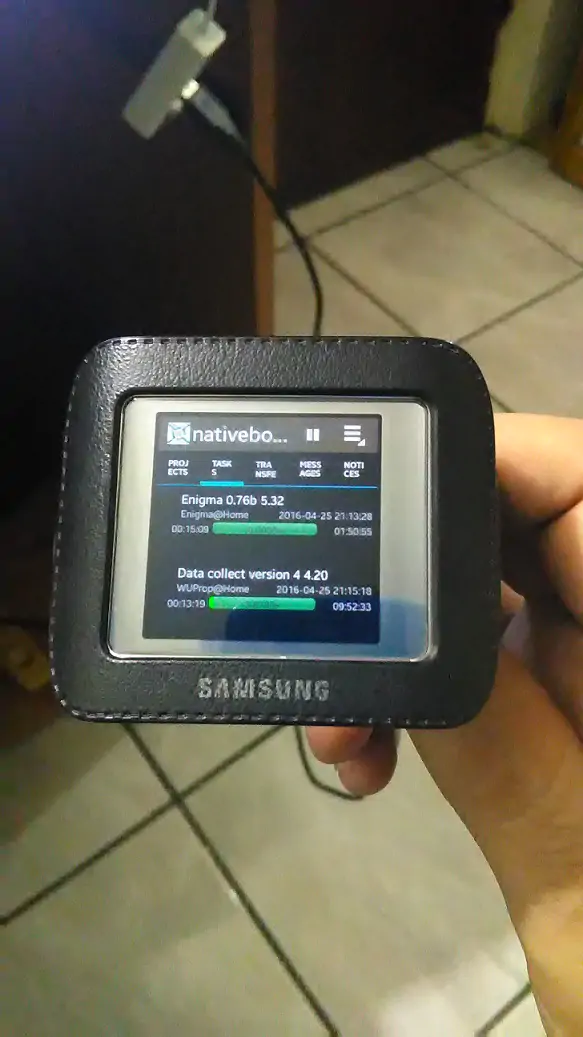
Hi everyone, Yesterday I installed BOINC in my Samsung Galaxy Gear device, the original model which came with Android and later was replaced with Tizen. Installing BOINC may be a little tricky, because the Gear doesn’t have Wifi, so we have to do some steps to “trick” the gear into thinking it has internet. Fortunately, the steps are easy, and I’ll give the steps to you below: PLEASE NOTE I am not responsible if you brick your device following these…

Read More Read More

The ZCash Mining GUI Overview Video

The ZCash Mining GUI Overview Video

Note: This software is no longer maintained. Hi everyone, I made a video to showcase the ZCash Mining GUI, explaining its functions and how to use it. You can watch it here below: You can download the ZCash Mining GUI here: https://github.com/moisespr123/ZCashMiningGui/releasesYou can browse the ZCash Mining GUI Source Code here: https://github.com/moisespr123/ZCashMiningGui/ Happy Mining! Post Views: 3